Recover from the failures Windows can recover.
The Service Control Manager restarts DrainCtl five seconds after its first and second failures, then stops retrying. The failure count resets after one day so repeated faults remain visible.

DrainCtl watches the RDS signals that matter: drain changes, sessions, performance, service health, and unusual event volume. Investigate from one secure dashboard, act on durable history, and keep the whole farm in view.
irm https://lissconsulting.github.io/LISSTech.DrainCtl/install.ps1 | iex
You've got a script. It polls every 5 minutes. Maybe it emails you. But it doesn't know who changed it, it can't attribute events to a user account, and the last thing you need is another fragile cron job to maintain.
Log into each server. Run chglogon /query. Check 8 hosts. Repeat. You're always the last to know — and there's no record of how long the server was drained or who was responsible.
PRTG, Zabbix, and your RMM don't understand RDSH drain semantics. They'll alert on everything or nothing, and you'll spend more time tuning thresholds than managing your farm.
chglogon /drain, the service knows. No polling
delay — Windows notifies DrainCtl directly through the kernel.
Channel=Minutes when one channel needs a precise override. Retrying or failed channels never mature its baseline.
Use the MSI wizard or your deployment system. Dashboard-only mode runs the listener, authentication, SQLite, and retention without local drain monitoring, performance or EventSpike collection, registration/reporting, notifications, or updater activity.
INSTALL_MODE=dashboard DASHBOARD_ONLY=1
Point internal DNS at the dashboard host. Session-host agents discover it themselves and connect securely.
_drainctl._tcp.contoso.com → your-dashboard-host:49470
Connected hosts register and report. Set fleet-safe alerts, performance thresholds, notification targets, and EventSpike controls in the dashboard; agents receive the authoritative configuration on their normal fetch cadence.
One DNS SRV record. Every agent finds the dashboard on its own. No scripts, no per-machine config, no manual URLs.
_drainctl._tcp.contoso.com
Auto TLS on first start. Self-signed cert, or bring your own. Certificate pinning. HSTS. Private key locked to SYSTEM.
SMTP email with HTML templates and natural-language subjects. Webhook and ntfy.sh too. Manage all targets from the dashboard with per-target triggers.
CPU, memory, input delay, disk I/O, and optional RemoteFX — collected via PDH on the configured sample interval. Threshold alerts fire before users complain.
Add-, Get-, Remove-RDSHDrainNotificationTarget.
Full multi-target control from PowerShell.
Interactive wizard or silent deploy. INSTALL_MODE=dashboard,
DASHBOARD_URL=..., ENABLE_PERF=1 — configure machine-owned settings from the command line.
In-place upgrades preserve settings and operational history without reopening configuration dialogs.
Get self-healing service recovery, restart-safe host visibility, protected local crash evidence, and telemetry that preserves uncertainty—without sacrificing the in-place upgrade path.
The Service Control Manager restarts DrainCtl five seconds after its first and second failures, then stops retrying. The failure count resets after one day so repeated faults remain visible.
SQLite-backed report epochs survive restarts. The dashboard emits one additive offline event after three missed heartbeats and one recovery event when reporting resumes, while keeping server-update compatibility.
WER retains up to three DrainCtl mini dumps in a permanent SYSTEM/Administrators-only ProgramData
folder. Hourly diagnostics record protected metadata; DRAINCTL_INCLUDE_CRASH_DUMPS=1
hashes and gzips only the newest protected dump and never auto-uploads it.
In-place upgrades preserve configuration, telemetry, host-freshness state, removed-server tombstones, the Force Update outbox, and EventSpike baselines and warm-up state.
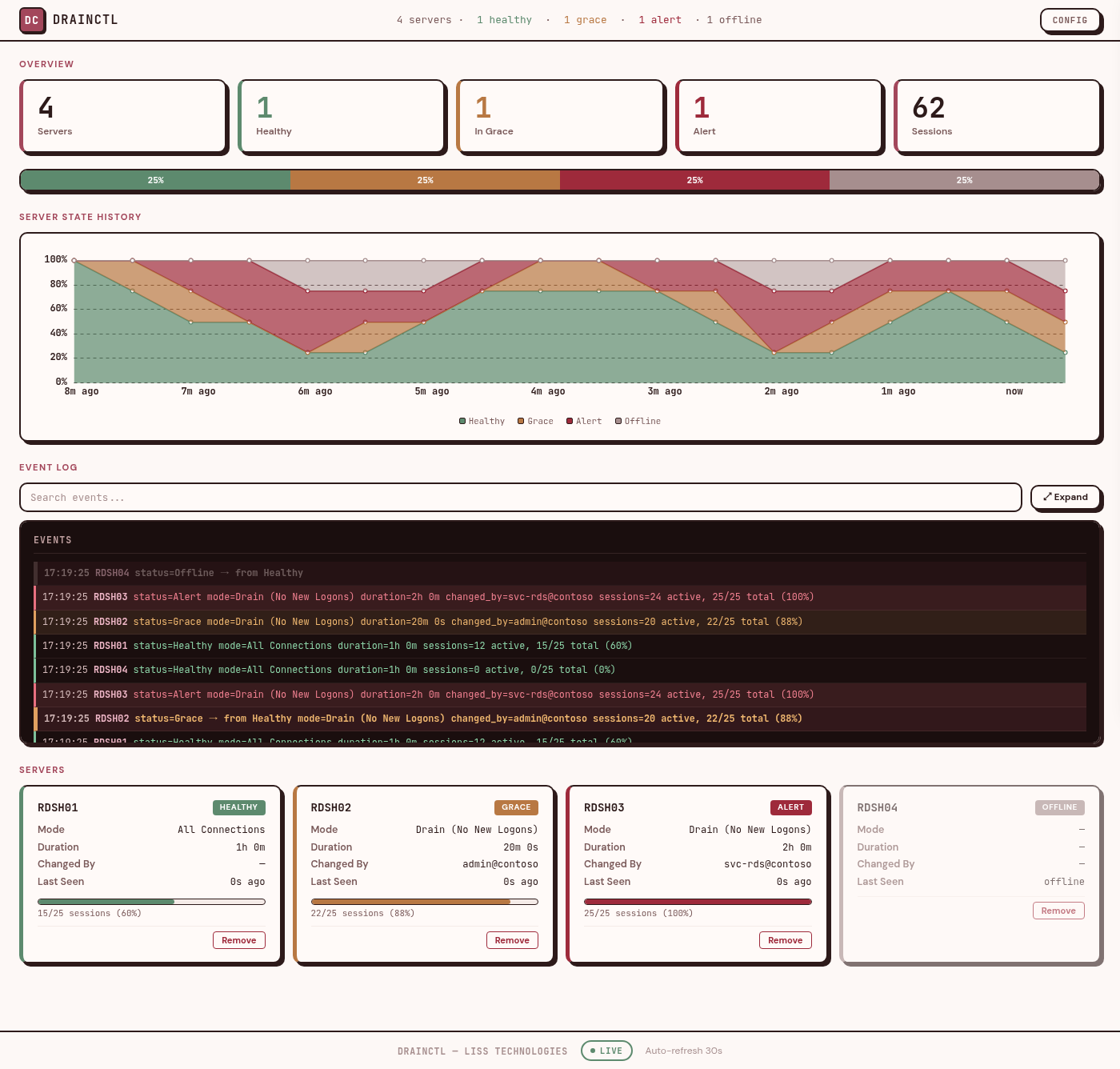
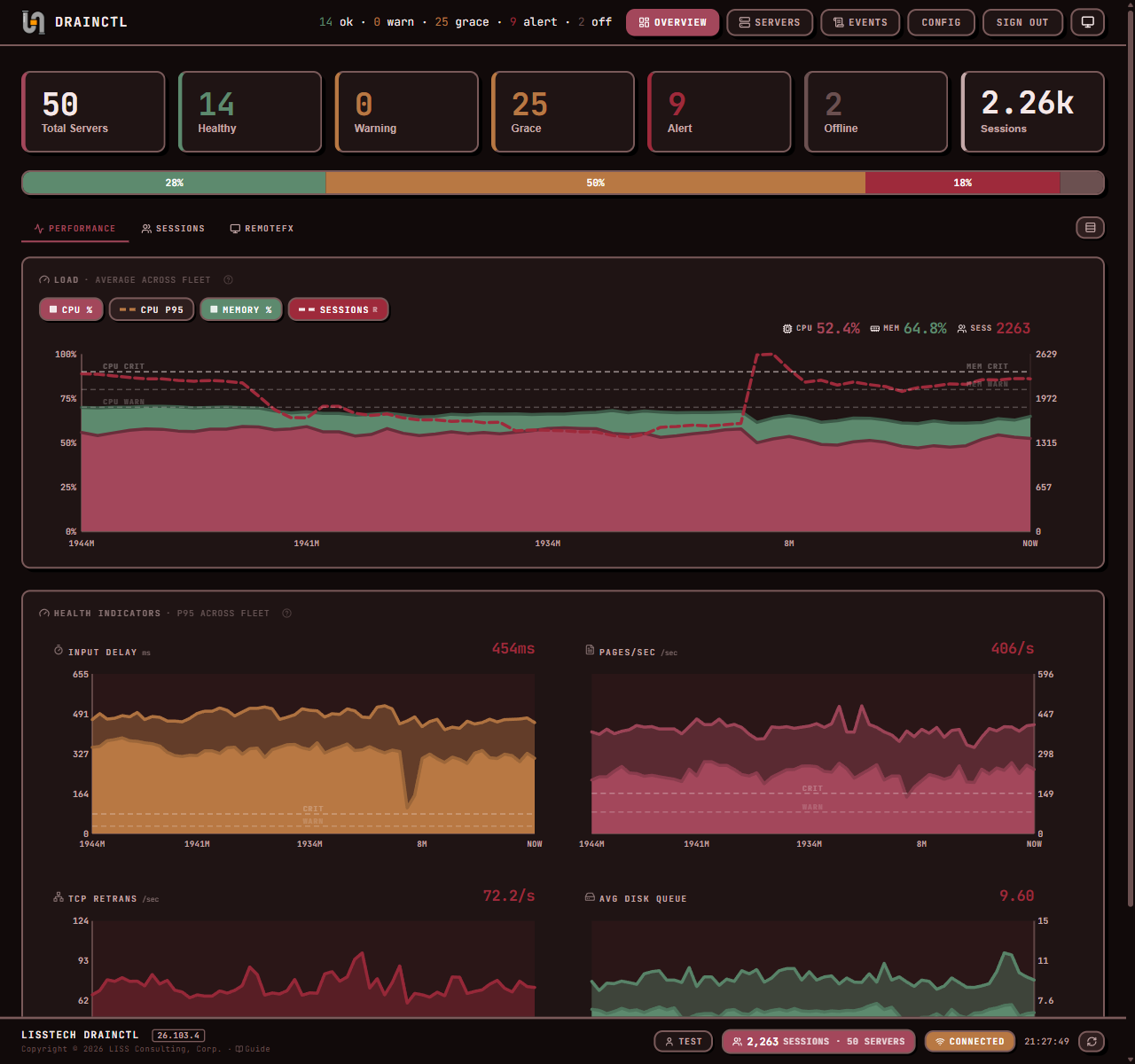
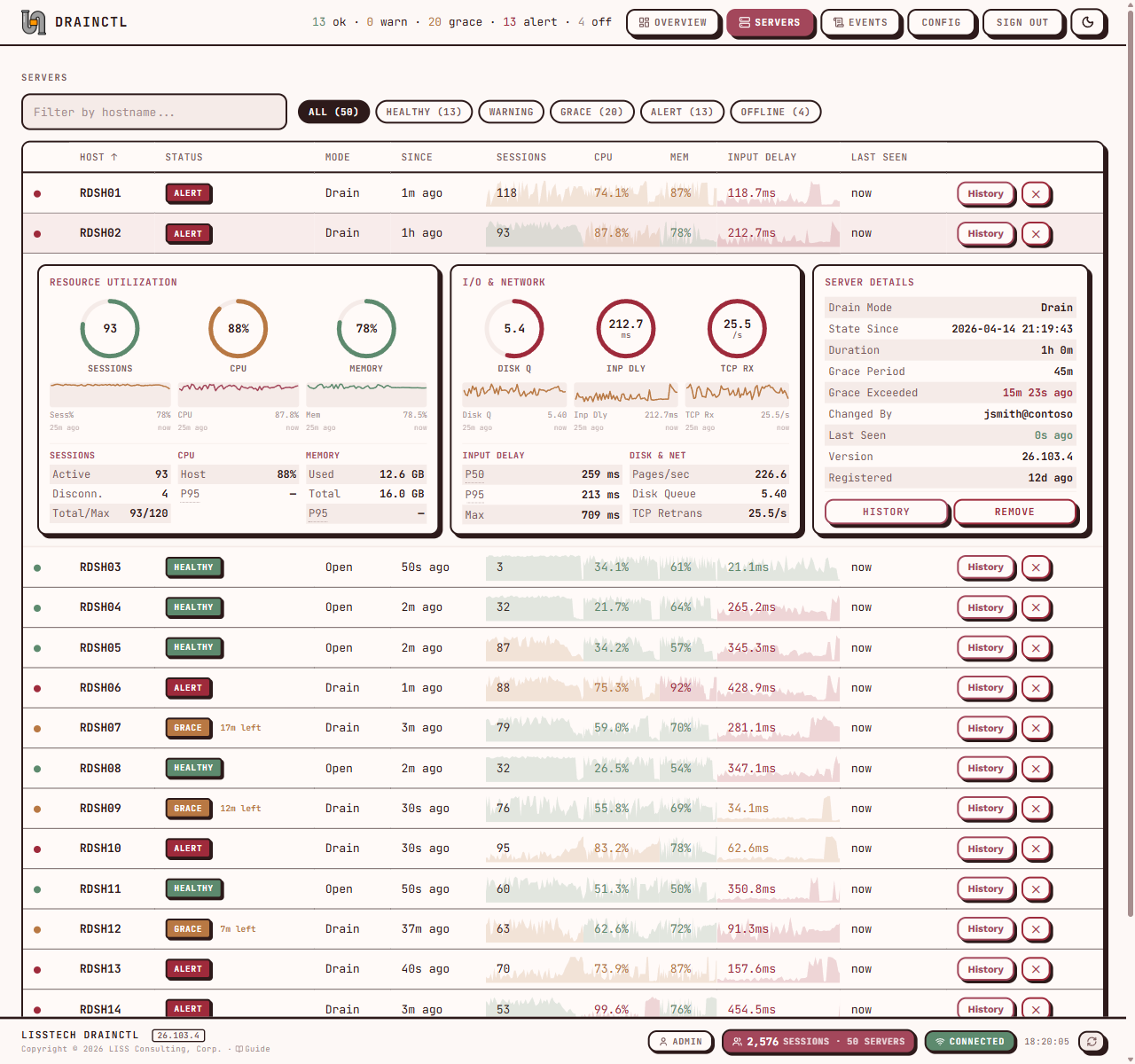
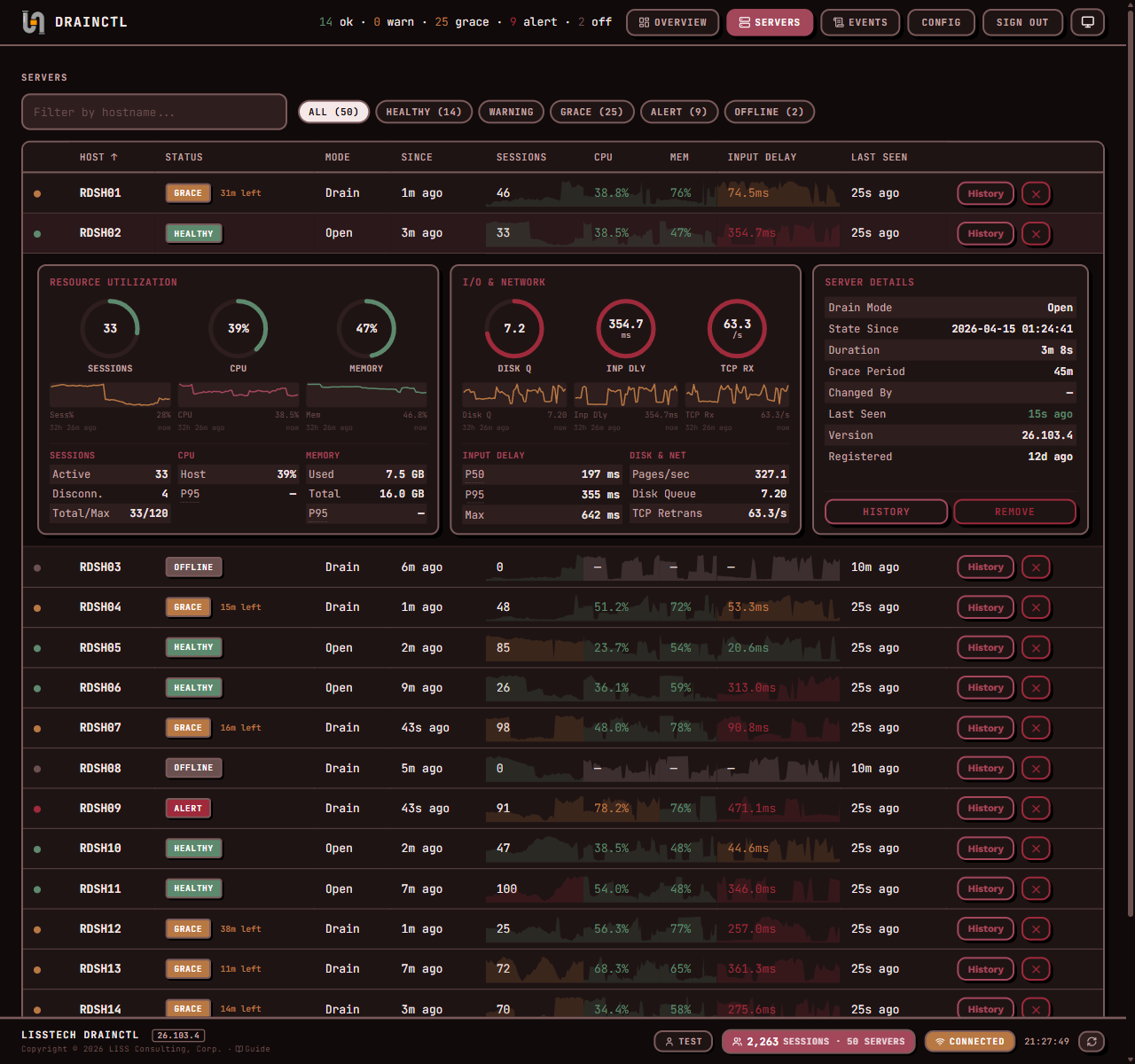
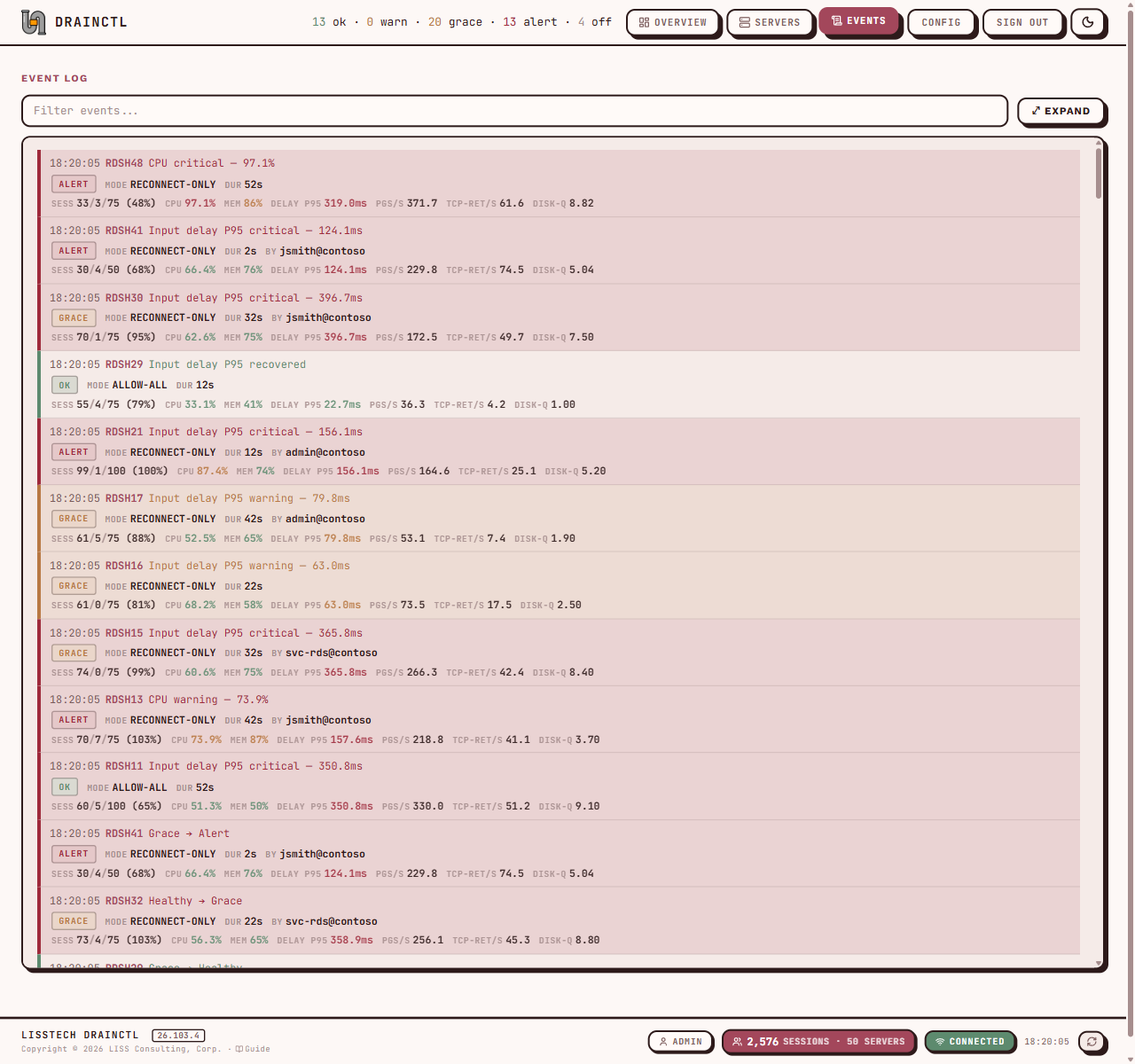
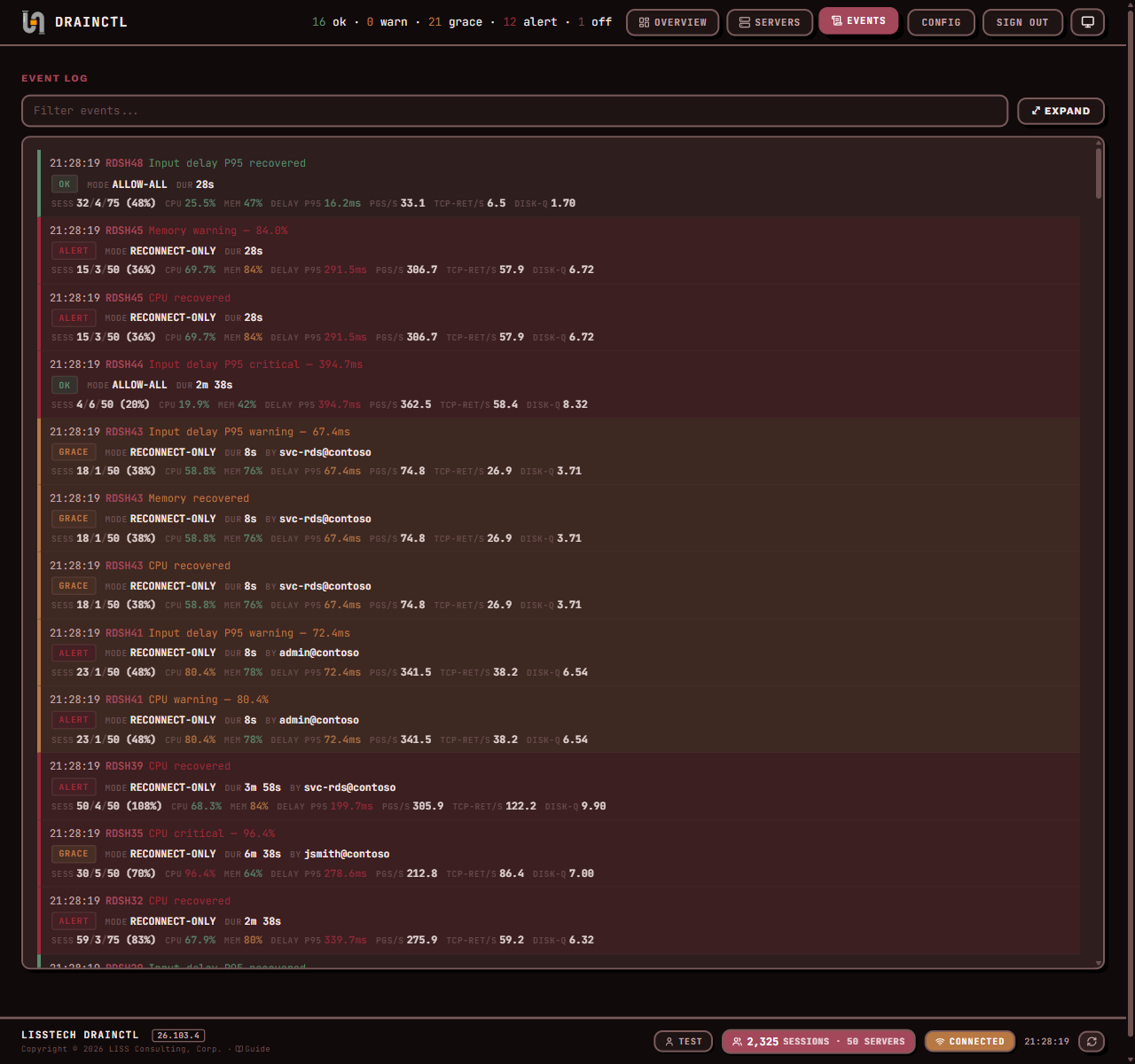
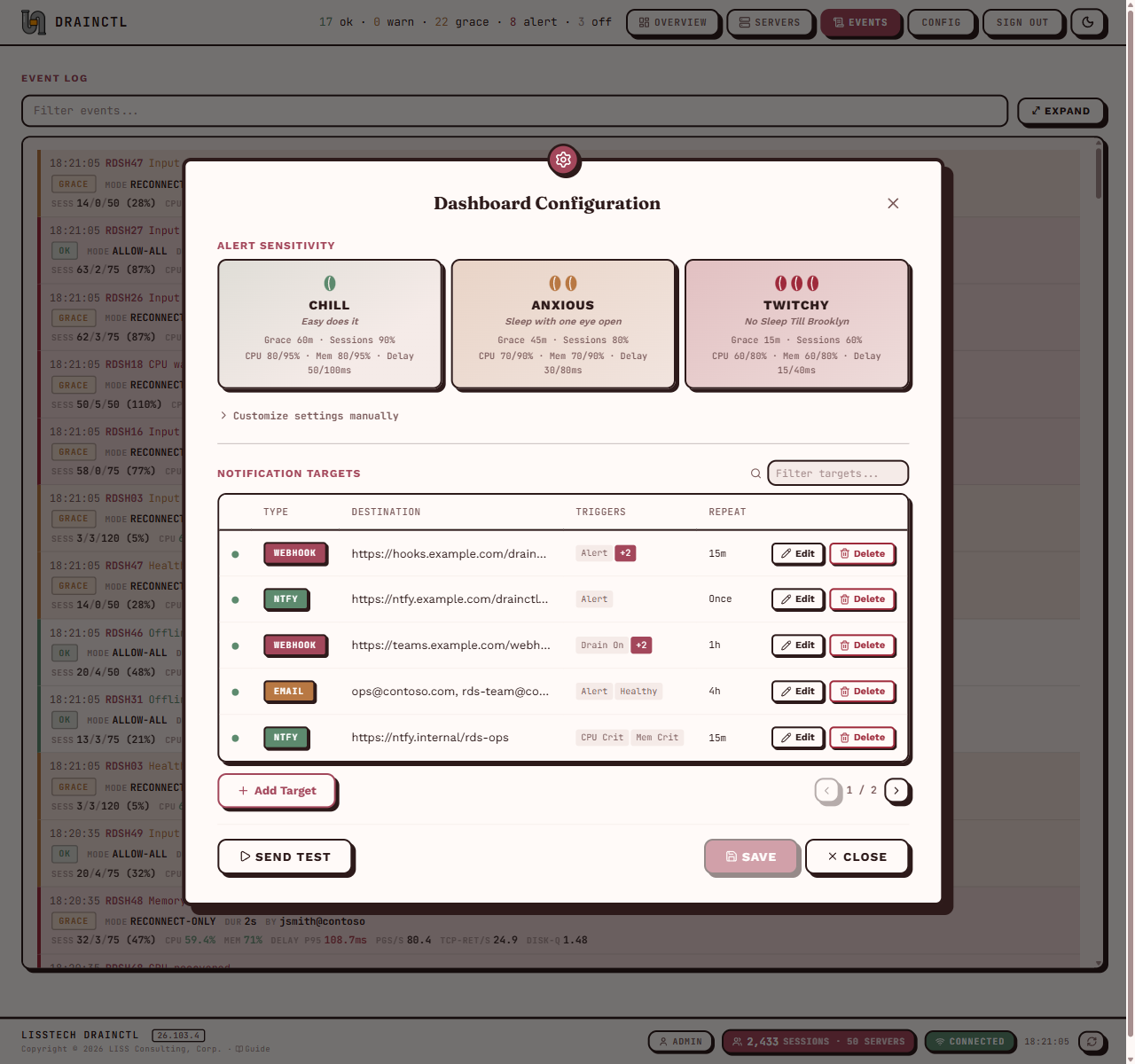
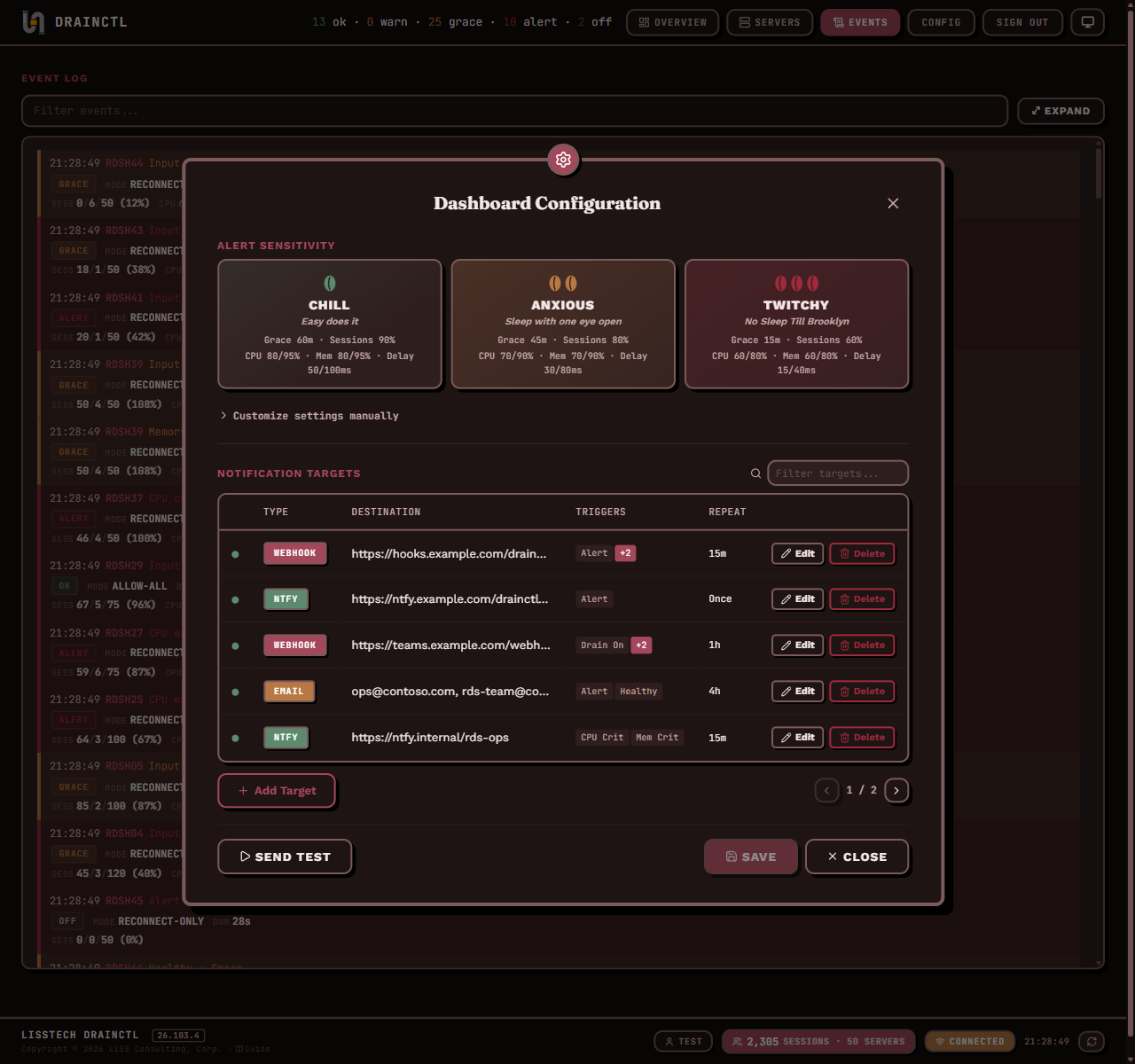
Overview turns live signals and durable SQLite history into fleet trends. Servers gives operators persistent multi-select, per-server Mute/Notify, Force Update, durable removal, and restoration from Config → Servers. Events keeps investigation close to the telemetry. Config organizes fleet settings into Alerts & Performance, Event Spikes, Notifications, Servers, and System.
Run the dashboard listener, authentication, SQLite, and retention without enabling local drain monitoring, performance/EventSpike collection, registration/reporting, notifications, or the updater.
Auto TLS, Kerberos SSO or credential login, certificate pinning, HSTS. Session-based auth with 8-hour timeout.
Server-Sent Events deliver live changes, including one offline and recovery signal per outage. LOAD, Health Indicators, Sessions, and optional RemoteFX charts query retained SQLite telemetry.
Manage alerts, performance, Event Spikes, notifications, Servers, and System settings in named
tabs. Operator-safe EventSpike fields propagate to agents; baseline_path stays local-only.
Fires the instant drain mode changes. No polling — the OS notifies the service directly.
~0msSecurity Event 4657 tells you who made the change. Attribution you can't get from registry monitoring alone.
Who did itCPU, memory, input delay, disk queue, TCP retransmits, and optional RemoteFX metrics. Configurable sustain windows filter transient spikes.
CPU + Mem + DelayWebhook, ntfy, and email with per-target triggers and repeat intervals. DPAPI-encrypted secrets at rest.
3 channels# Check drain mode status (instant via service pipe) PS> drainctl check 2026-04-02T20:08:56-04:00 [INF] source=service 2026-04-02T20:08:56-04:00 [INF] host=MDS-LDC1-RDS5 2026-04-02T20:08:56-04:00 [INF] drain_mode=ALLOW_ALL_CONNECTIONS value=0 2026-04-02T20:08:56-04:00 [INF] state_since=2026-04-02T18:30:00-04:00 state_duration=1h38m56s 2026-04-02T20:08:56-04:00 [INF] grace_period=1h0m0s 2026-04-02T20:08:56-04:00 [OK ] status=Healthy connections_allowed=true exit=0 # When drain mode is active beyond grace period: 2026-04-02T22:15:00-04:00 [ERR] status=Alert connections_allowed=false exit=1 # Exit code 1 triggers your RMM monitoring threshold
# Rich status object
PS> Get-RDSHDrainMode

Timestamp            : 4/2/2026 8:08:56 PM
Host                 : MDS-LDC1-RDS5
DrainMode            : ALLOW_ALL_CONNECTIONS
StateSince           : 4/2/2026 6:30:00 PM
StateDurationSeconds : 5936
Status               : Healthy
ConnectionsAllowed   : True
Message              : All connections allowed.
ExitCode             : 0

# Boolean check for scripts and alerts
PS> if (Test-RDSHDrainMode) { "OK" } else { "ALERT" }
OK

# One-liner for monitoring scripts
PS> (Get-RDSHDrainMode).Status
Healthy
# Machine-readable output for automation
PS> drainctl check --format json
{
  "version": "26.119.10",
  "host": "MDS-LDC1-RDS5",
  "drain_mode": "ALLOW_ALL_CONNECTIONS",
  "drain_mode_value": 0,
  "state_since": "2026-04-02T18:30:00-04:00",
  "state_duration_seconds": 5936.42,
  "grace_period_seconds": 3600,
  "status": "Healthy",
  "connections_allowed": true,
  "sessions": {
    "active_sessions": 12,
    "disconnected_sessions": 3,
    "total_sessions": 15,
    "max_sessions": 25,
    "utilization_pct": 60
  },
  "message": "All connections allowed.",
  "exit_code": 0
}
# View recent state transitions with attribution
PS> Get-RDSHDrainHistory -ChangesOnly -Limit 5

Timestamp              DrainMode                             Changed  ChangedBy         Exit
---------              ---------                             -------  ---------         ----
4/2/2026 10:14:04 PM   ALLOW_RECONNECTIONS_PREVENT_NEW..     YES      MDS\lissadmin     0
4/2/2026 10:13:32 PM   ALLOW_ALL_CONNECTIONS                 YES      MDS\lissadmin     0
4/2/2026 10:10:00 PM   ALLOW_RECONNECTIONS_PREVENT_NEW..     YES      MDS\lissadmin     0
4/2/2026  8:30:00 PM   ALLOW_ALL_CONNECTIONS                 YES      MDS\svcaccount    0
4/2/2026  6:15:00 PM   ALLOW_RECONNECTIONS_PREVENT_NEW..     YES      MDS\jdoe          0

# Filter in pipeline
PS> Get-RDSHDrainHistory | Where-Object Changed | Select Timestamp, ChangedBy
The interactive wizard lets you select the machine's role. Choose dashboard-only for the central dashboard, or the normal agent role for a session host that monitors and reports locally.
Deploy the same signed MSI through RMM, SCCM, Intune, or GPO. INSTALL_MODE=dashboard
enables the dashboard role; add DASHBOARD_ONLY=1 when the coordinator must not
monitor or report itself.
msiexec /i LISSTech.DrainCtl.msi /qn INSTALL_MODE=dashboard DASHBOARD_ONLY=1
Just the cmdlets — no service, no CLI. Good for quick checks and scripts. The stable module installs directly from PowerShell Gallery.
Install-Module LISSTech.DrainCtl
“We monitor 14 session hosts across 3 client sites. Before DrainCtl, we'd find out someone drained a server when users started calling. Now we know before they do.”
LISS Technologies is a NYC-based managed services provider — in business since 1984. We manage Windows infrastructure, RDSH farms, and enterprise environments for our clients.
DrainCtl exists because we needed it. No tool on the market gave us instant drain detection with proper attribution, a farm-wide dashboard, and alerts that understood RDSH semantics — so we built one. It's been running in production at client sites since before this page existed.
We open-source the tools we'd want to use ourselves. If your team manages session hosts, you're the kind of shop we work with.
NYC-based MSP since 1984. Four decades of enterprise Windows infrastructure management.
Every tool we release is running in production at a client site before it ships publicly. DrainCtl monitors live RDSH farms daily.
Apache 2.0. Fork it, deploy it, modify it. We release tools we'd want to exist — not lead-generation demos.